
Run Your Poshmark Closet on Autopilot: A Realistic, Safe 2026 Setup
Learn how to automate your Poshmark closet in 2026 using native tools like Smart List AI and Smart Sell, plus when third-party bots might be worth the risk.
You're spending hours sharing listings and sending offers—and you're still not sure if it's worth the time. In 2026, running your Poshmark closet on autopilot is possible, but the line between safe automation and account risk has never been clearer.
💡 Poshmark's own Smart List AI, Smart Sell, and Promoted Closet can handle most of the heavy lifting without violating TOS. Third-party bots are faster but come with real risk—know the trade-offs before you choose.
What "Autopilot" Actually Means in 2026
Automation on Poshmark falls into two buckets: native tools that Poshmark built and third-party bots that work outside the rules. The native tools are free or low-cost and fully compliant. The bots are faster—but they violate Poshmark's terms of service.
Most bots in 2026 automate the same actions: sharing listings, following/unfollowing users, sending offers to likers, and relisting items to make them appear "just in." Prices cluster between $10 and $40 per month, with some plans going higher for cross-platform features.
The Only Truly Safe Automation: Poshmark's Native Tools
Poshmark has quietly built a solid autopilot stack. Use these first before considering anything else.
Smart List AI (Free)
Launched in January 2025 and still rolling out, Smart List AI generates titles, descriptions, and keywords. It's free, TOS-compliant, and explicitly recommended for casual sellers with under 200 listings. It does not auto-share or send offers—it just helps you list faster.
How to use it: Batch your listing sessions. Use Smart List AI to standardize titles and descriptions, then add your own voice. Combine with saved photo templates to create 10–20 listings in one sitting.
Smart Sell (Offers Automation)
Smart Sell is Poshmark's in-app feature that automates sending, countering, and accepting offers based on rules you set. It's the closest thing to native autopilot for price negotiation.
How to use it: Define clear discount bands. For example, auto-accept offers above 80% of your asking price, auto-counter between 60% and 80%, and auto-decline anything below. Use it on evergreen inventory; keep manual control for rare or high-ticket items.
Promoted Closet (Paid Visibility)
Promoted Closet (also called Posh Promote) is a paid tool that boosts your listings in search results. It's integrated directly into Poshmark, so no TOS issues.
How to use it: Promote only your best-margin items, not your whole closet. Schedule promotions during peak shopping windows (weekends, evenings) to maximize ad spend.
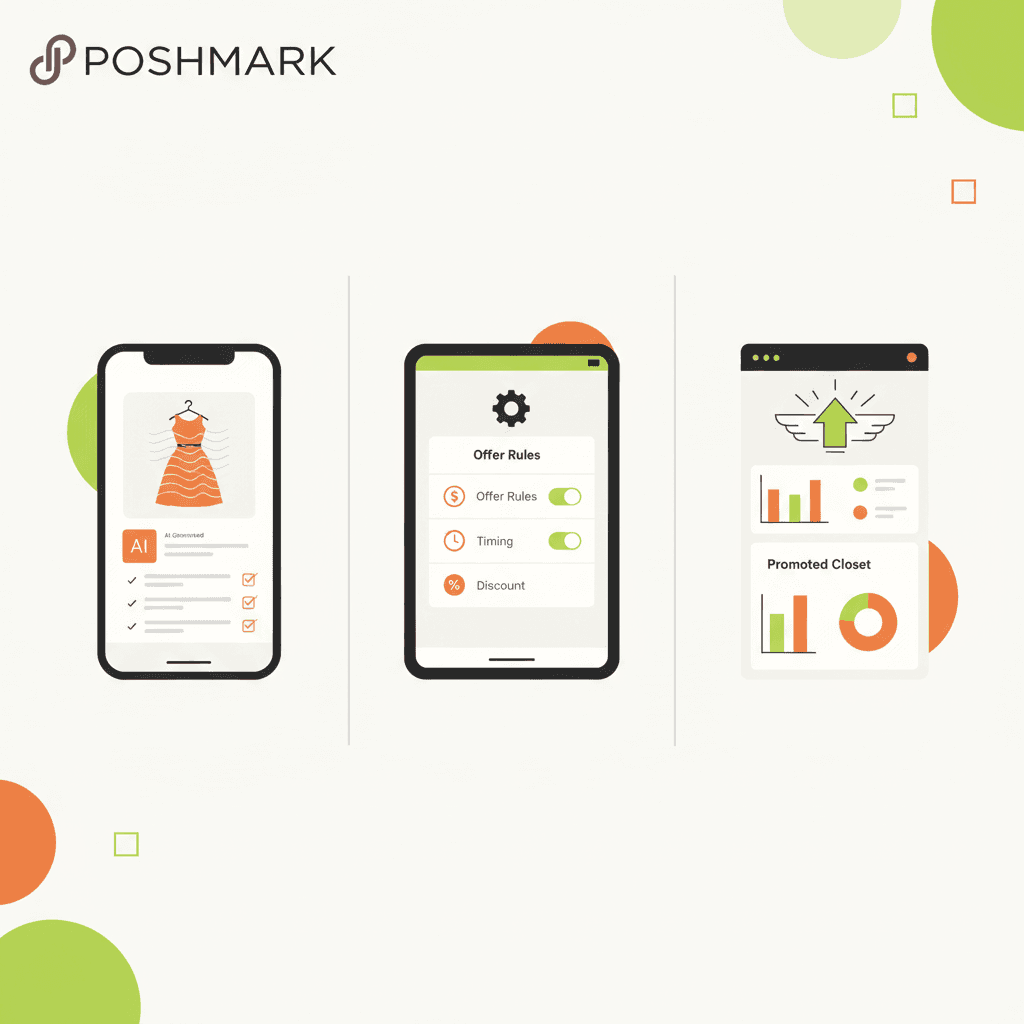
A clean modern editorial flat illustration comparing three Poshmark native tools: Smart List AI (a phone scree
Third-Party Bots: What They Offer and What They Cost
If native tools aren't enough, you'll look at bots. Here's what the 2026 landscape looks like:
All of these tools are marketed as automation helpers, but every major 2026 comparison notes they violate Poshmark's terms of service.
The Risk You Need to Accept
💡 No third-party bot is TOS-compliant. "Safe" only means lower risk within a gray area.
Poshmark's official stance hasn't changed: third-party automation that shares, follows, or sends offers is prohibited. Bots that mimic human behavior (randomized schedules, CAPTCHA solving) reduce detection risk but don't eliminate it. Aggressive "unlimited" plans that run 24/7 are the fastest way to get flagged.
If you choose to use a bot, you are making a calculated business decision—not a safe one. Set your expectations accordingly.
Three Realistic Setups by Closet Size
Tier 1: Casual Seller (<200 listings, Poshmark-only)
Goal: Reduce touch time without risking your account.
No third-party bot needed. This setup is fully TOS-compliant and keeps your account safe.
Tier 2: Solo One-Person Shop (200–800 listings, Poshmark-first)
Goal: Maximize native tools first, then consider a bot only if you accept the risk.
A clean modern editorial flat illustration of a seller's desk with a laptop showing a dashboard with three tie
Tier 3: Multi-Platform, High-Volume Seller
Goal: Automate across marketplaces, but understand the risk is higher.
Tools like Nifty, Reeva, and Sidekick Tools combine AI listing, sharing automation, and crosslisting. They violate TOS but are popular among serious resellers. Treat them as business infrastructure—not a shortcut.
Recommendation: Reserve bots for experienced sellers who have backup plans (multiple accounts, exit strategies). Never put all your eggs in one Poshmark closet.
Common Mistakes That Get Sellers Flagged
The Bottom Line: Your Action Plan
Here's what a realistic, lower-risk autopilot stack looks like for most closets in 2026:
💡 The most profitable sellers in 2026 aren't the ones with the most aggressive bots—they're the ones who combine native automation with smart inventory and pricing.
FAQ
Is Smart List AI safe to use?
Yes. Smart List AI is built by Poshmark and fully complies with their terms of service. It only helps you create listings—it doesn't share, follow, or send offers.
Can I get banned for using a Poshmark bot?
Yes. Third-party bots violate Poshmark's TOS. While many sellers use them without issue, aggressive automation or detection can lead to account restrictions or permanent bans.
What's the best autopilot setup for a casual seller?
Use Smart List AI for listing, Smart Sell for offers, and Promoted Closet sparingly. Batch your work into 30–60 minute sessions 2–3 times per week. No third-party tools needed.
Ready to automate the safe way?
MakeBox AI gives you the tools to streamline your Poshmark workflow without risking your account. Start with our free suite—smart listing helpers, offer optimization, and inventory insights—all designed to work within Poshmark's rules.
Try MakeBox AI Free — no bots, no TOS violations, just smarter selling.
Want more? Check out our guide to Poshmark automation tools for a deeper look at what's safe and what's not.
Want to talk through your setup?
Get in touch and I'll walk through what would actually move the needle for your shop or business.